A person or vehicle detection is a starting point. GettVision Intelligence adds supported visual conditions, natural-language questions, custom rules and evidence-based analysis.
THREE CONDITIONS TO EXPLORE
Beyond “person detected.”
Use Driveway as the example camera when choosing a model and its scope. Whether a condition can be evaluated depends on what the camera can actually see.
01 / BEHAVIOR
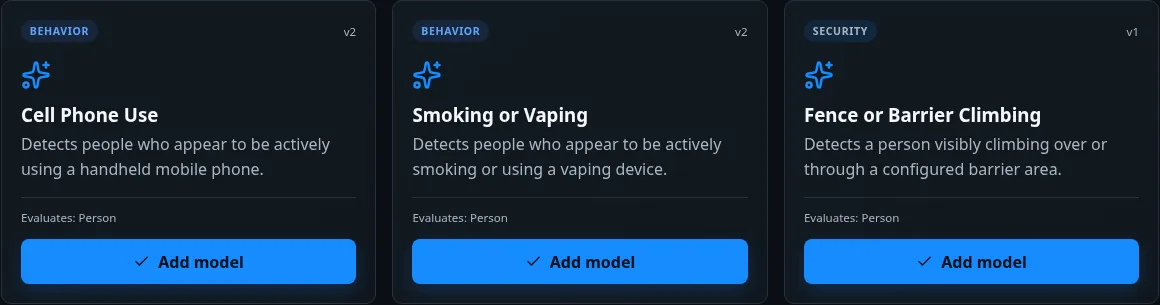
Cell Phone Use
Look for visible, active use of a handheld mobile phone.
How to apply this example
For Driveway, consider whether a person’s hands and the device are large enough to see. A hand near the face alone is not sufficient evidence of phone use.
02 / BEHAVIOR
Smoking or Vaping
Look for visible signs of active smoking or use of a vaping device.
How to apply this example
A suitable view needs enough detail to distinguish a device or smoking action from an ordinary hand-to-face movement. Review the evidence before deciding what happened.
03 / SECURITY
Fence or Barrier Climbing
Look for a person visibly climbing over or through a configured barrier area.
How to apply this example
Configure a visible barrier area on a suitable camera view. The cropped Driveway image in this tour does not show a fence, so it is not evidence of a climbing event.
GETTVISION INTELLIGENCE / MODEL EXAMPLESSCREENSHOT
Actual GettVision Intelligence catalog interface · Selected supported model examples. View larger ↗
ONE CAMERA, THE CONDITIONS YOU CHOOSE
Make the model fit the job.
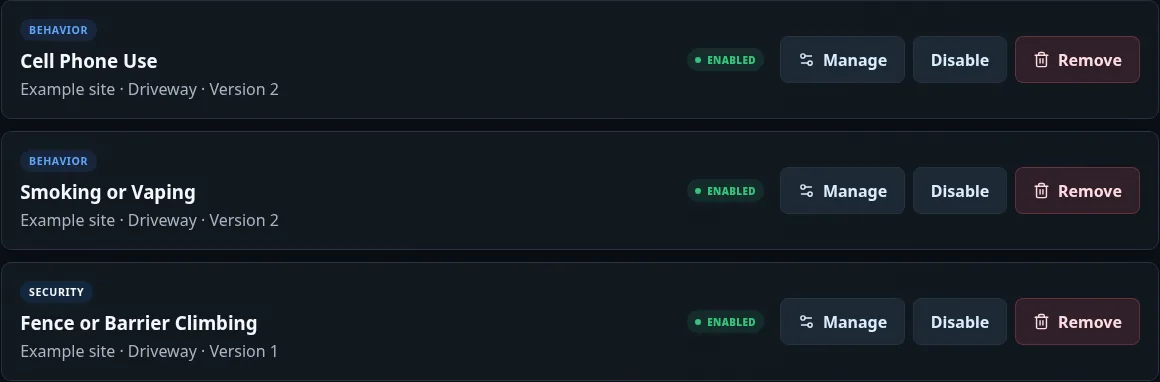
Choose the camera, review compatibility, then configure timing, severity, alert delivery and the supported zone or schedule.
GETTVISION INTELLIGENCE / CAMERA SCOPESCREENSHOT
Actual GettVision Intelligence interface · Illustrative Driveway configurations; these are not observed incidents. View larger ↗
01
Choose a condition.
Select a supported model such as Cell Phone Use, Smoking or Vaping, Fence or Barrier Climbing, Person Down or After-Hours Activity.
02
Set the scope.
Apply it to the intended camera or supported group. Review the view, required objects and relevant area before enabling the workflow.
03
Review the evidence.
Use the resulting activity and alerts in Central. Search, summaries and reporting can help your team understand retained activity over time.
Useful context needs visible evidence.
Camera angle, lighting, distance, occlusion and the selected model affect what can be understood. These screenshots demonstrate model selection and configuration, not confirmed phone use, smoking or climbing at Driveway.
Intelligence is optional. Edge handles local video and activity; Intelligence adds interpretation to the supported workflows you enable.