Connect and record.
Edge connects to your cameras, processes their video locally and records according to your configuration. Continuous processing stays close to the source.
02 / LOCAL VIDEO & ANALYTICS
GettVision Edge connects directly to cameras and handles local video processing, recording, detection and tracking. Central gives your team a connected place to manage it.
DRIVEWAY / EDGE NODE 2
Define the part of a camera view that matters. This example shows how a zone can focus an operational rule on a selected area of Driveway.
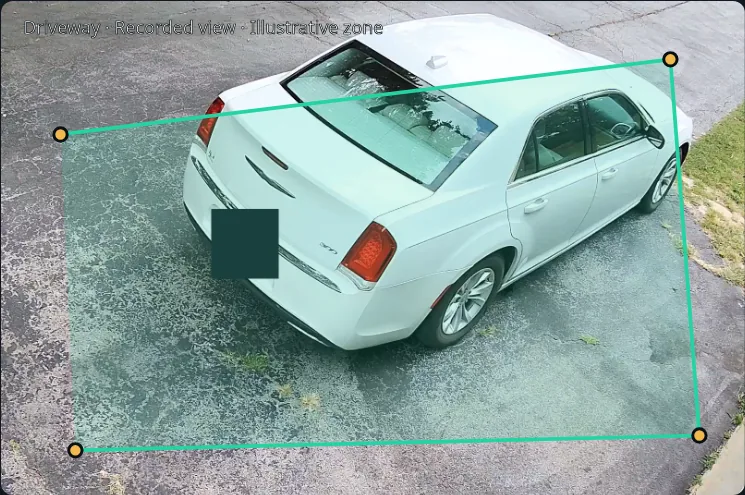
This is a recorded camera view with an example zone. It does not show a live stream, a measured distance or a detected incident.
Edge connects to your cameras, processes their video locally and records according to your configuration. Continuous processing stays close to the source.
Detect and track supported objects, define zones and apply event rules. Use local analytics to prepare useful activity and video evidence.
Make supported camera activity available to Central for review, alerts and reporting. Add Intelligence when you need to understand more than an object label.
CONTINUITY AT YOUR SITE
Core local recording and processing can continue through a temporary loss of the connection to Central. Remote viewing and delivery depend on the connectivity and capabilities available at that time.
Use Edge when GettVision provides the local camera processing layer. If you already have a VMS, explore the planned GettVision Bridge connection.